The Results
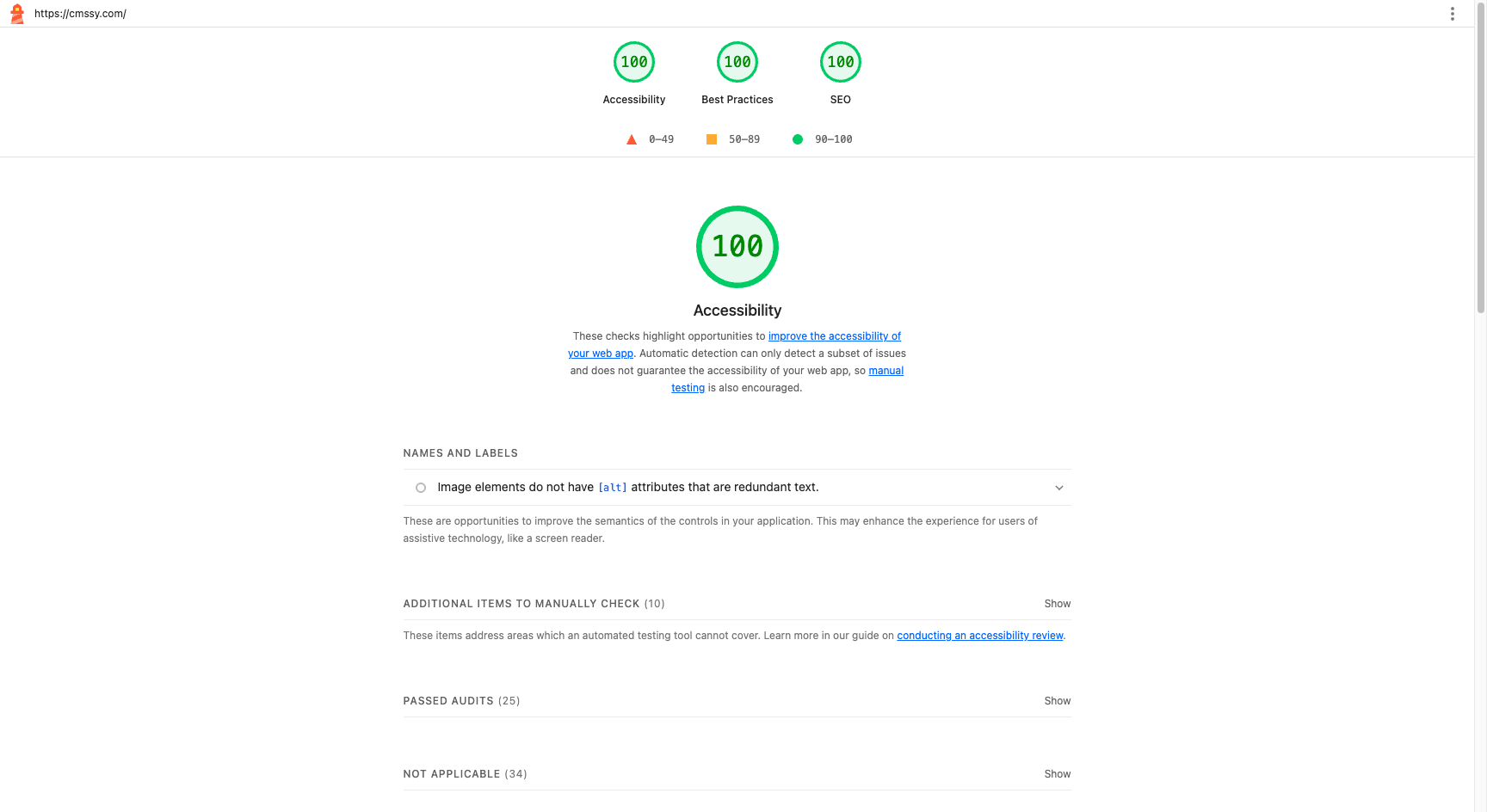
We ran Google Lighthouse on cmssy.com - our own marketing site, a Next.js app whose content comes from Cmssy. The results speak for themselves:
- Accessibility: 100/100
- Best Practices: 100/100
- SEO: 100/100
- TTFB: 64ms
- Total page weight: 332KB
Why Headless Cmssy Sites Are Fast
The key thing to understand: a Cmssy site is a standard Next.js (App Router) app that you own and deploy. You build your blocks as React components with @cmssy/react and @cmssy/next, fetch content from the Cmssy delivery API, and ship to your own host (Vercel, etc.). Cmssy stores the content and gives editors a visual editor that frames your deployed site - it doesn't host or serve the site for you. That means every Next.js performance lever is yours to use, and these scores come from using them well.
Server Components Ship ~0 Client JS
Cmssy blocks are React components, and in the App Router they are Server Components by default. A server-rendered block sends HTML and ships virtually no JavaScript to the browser. Only blocks that need interactivity opt in with "use client", so the client bundle stays tiny - which is most of why the Best Practices and SEO scores hold up. See building blocks and advanced blocks.
Cached Content with ISR
Content is fetched from the Cmssy delivery API and is fully cacheable. With Next.js SSG or ISR you render pages ahead of time and revalidate on a schedule, so visitors hit pre-rendered HTML served from your host's edge/CDN - that 64ms TTFB is your cached response, not a per-request render.
Image Optimization with next/image
Use next/image for every image in your blocks and you get automatic resizing, modern formats, lazy-loading below the fold, and correct width/height to avoid layout shift - all from the framework you already control.
Structured Data, Meta, and Sitemaps
You own SEO output in your Next.js app: JSON-LD structured data, the metadata API for meta and Open Graph tags, and a generated sitemap. Wire these once and every page renders them - no plugins required.
Fonts and Resource Hints
Self-host fonts with next/font to remove a render-blocking request and avoid layout shift, and add preconnect/preload hints for critical resources. These small wins map directly to the Accessibility and Best Practices scores.
Why This Matters
Most page builders sacrifice performance for flexibility. You get a drag-and-drop editor, but your Lighthouse score drops to 60-70 because the runtime ships heavy client JavaScript. Headless Cmssy avoids that trade-off: editors get visual editing with AI assistance, while your site is a lean Next.js app where you decide what runs on the server and what ships to the client.
The difference? Performance isn't bolted on by a hosting platform - it comes from your own Next.js deployment. Server Components, ISR caching, and next/image aren't plugins, they're how the app is built.
Try It Yourself
Follow the installation guide to wire @cmssy/react and @cmssy/next into your Next.js app, build a few blocks, manage content in the editor or via MCP, deploy to your host, and run Lighthouse on the result.